Sitefinity Custom 2FA Authentication v14+
sitefinity | 2026-03-20
💡 Revamp the older implementation
- The previous custom 2fa we did is outdated as Sitefinity evolved
- Intercept the ILoginCompletedEvent and using cookie to determine enter the 2fa screen
- Using ASP.NET
Application_PostAuthenticateRequestto ensure no escape from the validate screen
✅ Steps
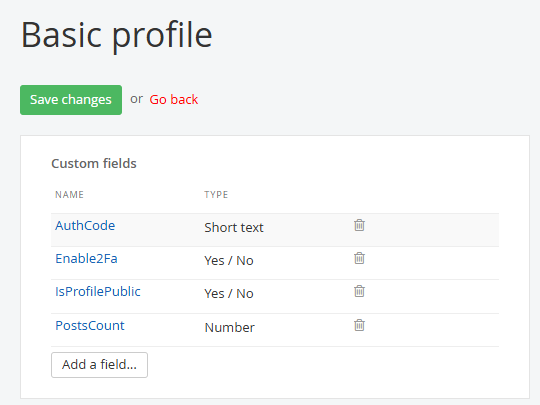
1. Add a Custom Field to User Profile
Go to:
/Sitefinity/Administration/ProfileTypes -> Basic Profile
Add 2 custom fields – Enable2Fa and AuthCode (ShortText) in the user profile.
The AuthCode can set as a hidden field.
2. Create a validate 2fa screen
Using the Custom Validate 2Fa widget
3. Update an Exiting User
- Set Enable2Fa is true and save
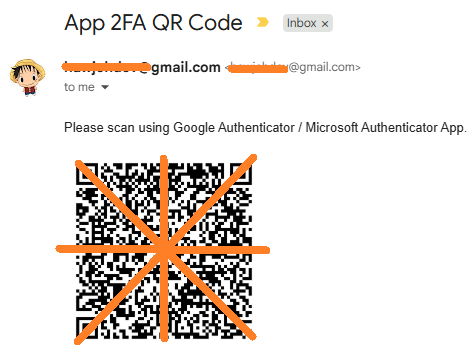
- An email with QR Code will be receive
- Set up the Authenticator app on your mobile
4. Test Login
Go to /Sitefinity, it will route you to the validate screen after enter correct username & password

🔗 The Solution Code Snippets:
Refers to my v14 branch
📌 Summary:
- Created 2 custom fields: Enable2Fa (Yes/No) and AuthCode (ShortText) for 2fa login
- User receive email with QR Code for Google / Microsoft Authenticator
- Tested login with Sitefinity v14.4